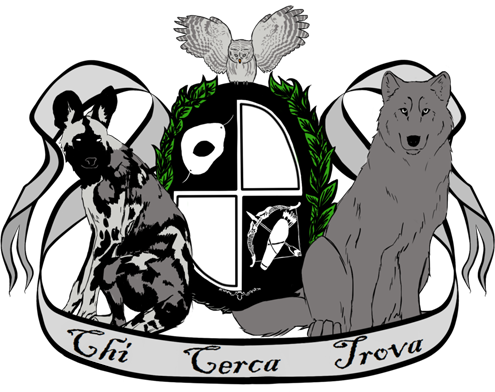
Both xxDraconikaxx and DarkeningLight666 both had it in their heads that they wanted to do their own RP forum and group but didn't know if the other wanted to as well. Once the idea was let out it was quickly agreed to.
In order that would be: DarkeningLight666 (Founder/The Elders), xxDraconikaxx (Co-founder/Chosen Regent) and night-star-sky (Co-founder/Chosen Regent).
Live Events are just that, Events that are Live. All members that can turn up at the time can go into a special portal and RP live with other members in special chatrooms.
At this moment in time we are not allowing any other species. But the Elder Giacinto is currently looking for a new mate of a different species, If it works out maybe more may be allowed in the future.
Then unfortunately, He/She will most likely die. Lack of blood will make your character weak and their powers may not work. If they are unable to defend themselves, they will die.
NO! Nononononononononono!! Do you have a death wish?! No vampire can stroll around in the sun and survive. Depending on how your character was born (Turned, Half, etc.) you may last for a few seconds to a few minutes.
Not unless you are a Chosen Regent. When you are promoted to Chosen Regent you are gifted with your own Lapis Lazuli. Where you place it is up to you. Do you know where the Elders and the Chosen Regents are located?
If that happens you have a few choices. 1. You can wait until you can heal on your own. With very deep wounds this may lead to long term weakness. 2. Get our coven healer to heal your character. Lyssum may seem scary and wierd but she is one of the best healers out there (She has had many years of practice) and she is always on guard to heal those who need it. Don't let your character die because they are too proud to ask for help.
Awww. Okay. We all have had that happen when Rping, we do not wish to RP a character anymore, we understand. If this happens to you all you need to do is either kill your character off or make your character leave the coven. You can do this by RPing it in a thread or simply leaving a letter.
Once you have done that we will ask you to remove your app and skill wheel from the group, you do not have to delete it permanently. All of your art may stay within the group.
*Scoffs* Noooo. Just some pathetic excuses made by hunters that have failed to kill us but needed something to tell others to save their own behinds. None of that stuff really effects us.
Though I must warn you... A stake to heart may kill... but then again, so would a knife to the heart :P
"One way to supposedly deter a vampire is to throw seeds (usually mustard) outside a door. Vampires are compelled to count the seeds or the holes in the net, delaying them until the sun comes up."
.... This will only work if your character has OCD or is very VERY short attention span. :P
Yes and No.
Vampires will not die off old age, though full vampires may live longer than a half or a created.
But vampires can die of certain disease (The elder has blood poisoning from a Lycan) and can be killed by a fatal wound.
Why not? Did you know that many scholars argue the word “vampire” is either from the Hungarian vampir or from the Turkish upior, upper, upyr meaning “witch.”
No. Gia was born 2500BC and she wasn't the first! Vampires go very far back. Though if you asked her she would say. "Vlad? Oh yeah, I remember him, Such a nice guy~" :P
Technically yes. Pure vampires can, that is how you gain more pure bloods and Dhampirs. Dhampirs can as they are half human.Turned vampires can also have children but the child will be considerably weaker and infant mortality is very high. If you are thinking about having a child within the RP group, please remember that the child will be with you always and grows at the normal rate of a human child. You will be Rping with the child for many years.
Vampires tend to stay the same as when they where made/born. But it is possible, just as a human can, to change skin colour. Too little sunlight makes the skin pale, but if you are able to walk in the sun, your skin can tan. As for blue and purple skin, I guess it is possible if your character has a illness.
"Vampires are said to have two hearts, or two souls; since one heart, or one soul, never dies, the vampire remains undead. " (fdgjhdkgfhdxgdfg!!! WE ARE TIME LORDS?!) Unfortunately this is not true. We do know for a fact, thanks to Lyssums MANY experiments, that Pure blooded and Half-blood vampires do not have two hearts. (Aww!)
Yes. This is just a myth to stop people from being scared spread by Hunters. That and it didn't help that at one point nearly all vampires where 'gentlemenn' and would always ask anyhow... darn 'gentlemen'.
Yes. A Methuselah is an Elder who has existed for at least a millennium or more. Fourth and most fifth Generation vampires are Methuselahs. This is just another term for Very Old Vampire.... Like Giacinto. They are named Methuselah's after the Biblical man of the same name who lived to almost a thousand years.
Have you registered? Seriously, you must register in order to log in. Have you been banned from the board? (A message will be displayed if you have.) If so, you should contact the webmaster or board administrator to find out why. If you have registered and are not banned and you still cannot log in then check and double-check your username and password. Usually this is the problem; if not, contact the board administrator -- they may have incorrect configuration settings for the board.
You may not have to -- it is up to the administrator of the board as to whether you need to register in order to post messages. However, registration will give you access to additional features not available to guest users such as definable avatar images, private messaging, e-mailing to fellow users, usergroup subscription, etc. It only takes a few minutes to register so it is recommended you do so.
If you do not check the Log me in automatically box when you log in, the board will only keep you logged in for a preset time. This prevents misuse of your account by anyone else. To stay logged in, check the box during login. This is not recommended if you access the board from a shared computer, e.g. library, internet cafe, university cluster, etc.
In your profile you will find an option Hide your online status; if you switch this on you'll only appear to board administrators or to yourself. You will be counted as a hidden user.
Don't panic! While your password cannot be retrieved it can be reset. To do this go to the login page and click I've forgotten my password. Follow the instructions and you should be back online in no time.
First check that you are entering the correct username and password. If they are okay then one of two things may have happened: if COPPA support is enabled and you clicked the I am under 13 years old link while registering then you will have to follow the instructions you received. If this is not the case then maybe your account need activating. Some boards will require all new registrations be activated, either by yourself or by the administrator before you can log on. When you registered it would have told you whether activation was required. If you were sent an e-mail then follow the instructions; if you did not receive the e-mail then check that your e-mail address is valid. One reason activation is used is to reduce the possibility of rogue users abusing the board anonymously. If you are sure the e-mail address you used is valid then try contacting the board administrator.
The most likely reasons for this are: you entered an incorrect username or password (check the e-mail you were sent when you first registered) or the administrator has deleted your account for some reason. If it is the latter case then perhaps you did not post anything? It is usual for boards to periodically remove users who have not posted anything so as to reduce the size of the database. Try registering again and get involved in discussions.
All your settings (if you are registered) are stored in the database. To alter them click the Profile link (generally shown at the top of pages but this may not be the case). This will allow you to change all your settings.
The times are almost certainly correct; however, what you may be seeing are times displayed in a timezone different from the one you are in. If this is the case, you should change your profile setting for the timezone to match your particular area, e.g. London, Paris, New York, Sydney, etc. Please note that changing the timezone, like most settings, can only be done by registered users. So if you are not registered, this is a good time to do so, if you pardon the pun!
If you are sure you have set the timezone correctly and the time is still different, the most likely answer is daylight savings time (or summer time as it is known in the UK and other places). The board is not designed to handle the changeovers between standard and daylight time so during summer months the time may be an hour different from the real local time.
The most likely reasons for this are either the administrator did not install your language or someone has not translated this board into your language. Try asking the board administrator if they can install the language pack you need or if it does not exist, please feel free to create a new translation. More information can be found at the phpBB Group website (see link at bottom of pages)
There may be two images below a username when viewing posts. The first is an image associated with your rank; generally these take the form of stars or blocks indicating how many posts you have made or your status on the forums. Below this may be a larger image known as an avatar; this is generally unique or personal to each user. It is up to the board administrator to enable avatars and they have a choice over the way in which avatars can be made available. If you are unable to use avatars then this is the decision of the board admin and you should ask them their reasons (we're sure they'll be good!)
In general you cannot directly change the wording of any rank (ranks appear below your username in topics and on your profile depending on the style used). Most boards use ranks to indicate the number of posts you have made and to identify certain users. For example, moderators and administrators may have a special rank. Please do not abuse the board by posting unnecessarily just to increase your rank -- you will probably find the moderator or administrator will simply lower your post count.
Sorry, but only registered users can send e-mail to people via the built-in e-mail form (if the admin has enabled this feature). This is to prevent malicious use of the e-mail system by anonymous users.
Easy -- click the relevant button on either the forum or topic screens. You may need to register before you can post a message. The facilities available to you are listed at the bottom of the forum and topic screens (the You can post new topics, You can vote in polls, etc. list)
Unless you are the board admin or forum moderator you can only edit or delete your own posts. You can edit a post (sometimes for only a limited time after it was made) by clicking the edit button for the relevant post. If someone has already replied to the post, you will find a small piece of text output below the post when you return to the topic that lists the number of times you edited it. This will only appear if no one has replied; it also will not appear if moderators or administrators edit the post (they should leave a message saying what they altered and why). Please note that normal users cannot delete a post once someone has replied.
To add a signature to a post you must first create one; this is done via your profile. Once created you can check the Add Signature box on the posting form to add your signature. You can also add a signature by default to all your posts by checking the appropriate radio box in your profile. You can still prevent a signature being added to individual posts by un-checking the add signature box on the posting form.
Creating a poll is easy -- when you post a new topic (or edit the first post of a topic, if you have permission) you should see a Add Poll form below the main posting box. If you cannot see this then you probably do not have rights to create polls. You should enter a title for the poll and then at least two options -- to set an option type in the poll question and click the Add option button. You can also set a time limit for the poll, 0 being an infinite amount. There will be a limit to the number of options you can list, which is set by the board administrator
As with posts, polls can only be edited by the original poster, a moderator, or board administrator. To edit a poll, click the first post in the topic, which always has the poll associated with it. If no one has cast a vote then users can delete the poll or edit any poll option. However, if people have already placed votes only moderators or administrators can edit or delete it; this is to prevent people rigging polls by changing options mid-way through a poll
Some forums may be limited to certain users or groups. To view, read, post, etc. you may need special authorization which only the forum moderator and board administrator can grant, so you should contact them.
Only registered users can vote in polls so as to prevent spoofing of results. If you have registered and still cannot vote then you probably do not have appropriate access rights.
BBCode is a special implementation of HTML. Whether you can use BBCode is determined by the administrator. You can also disable it on a per post basis from the posting form. BBCode itself is similar in style to HTML: tags are enclosed in square braces [ and ] rather than < and > and it offers greater control over what and how something is displayed. For more information on BBCode see the guide which can be accessed from the posting page.
That depends on whether the administrator allows you to; they have complete control over it. If you are allowed to use it, you will probably find only certain tags work. This is a safety feature to prevent people from abusing the board by using tags which may destroy the layout or cause other problems. If HTML is enabled you can disable it on a per post basis from the posting form.
Smileys, or Emoticons, are small graphical images which can be used to express some feeling using a short code, e.g. :) means happy, :( means sad. The full list of emoticons can be seen via the posting form. Try not to overuse smileys, though, as they can quickly render a post unreadable and a moderator may decide to edit them out or remove the post altogether.
Images can indeed be shown in your posts. However, there is no facility at present for uploading images directly to this board. Therefore you must link to an image stored on a publicly accessible web server, e.g. http://www.some-unknown-place.net/my-picture.gif. You cannot link to pictures stored on your own PC (unless it is a publicly accessible server) nor to images stored behind authentication mechanisms such as Hotmail or Yahoo mailboxes, password-protected sites, etc. To display the image use either the BBCode [img] tag or appropriate HTML (if allowed).
Announcements often contain important information and you should read them as soon as possible. Announcements appear at the top of every page in the forum to which they are posted. Whether or not you can post an announcement depends on the permissions required, which are set by the administrator.
Sticky topics appear below any announcements in viewforum and only on the first page. They are often quite important so you should read them where possible. As with announcements the board administrator determines what permissions are required to post sticky topics in each forum.
Locked topics are set this way by either the forum moderator or board administrator. You cannot reply to locked topics and any poll contained inside is automatically ended. Topics may be locked for many reasons.
Administrators are people assigned the highest level of control over the entire board. These people can control all facets of board operation which include setting permissions, banning users, creating usergroups or moderators, etc. They also have full moderator capabilities in all the forums.
Moderators are individuals (or groups of individuals) whose job it is to look after the running of the forums from day to day. They have the power to edit or delete posts and lock, unlock, move, delete and split topics in the forum they moderate. Generally moderators are there to prevent people going off-topic or posting abusive or offensive material.
Usergroups are a way in which board administrators can group users. Each user can belong to several groups (this differs from most other boards) and each group can be assigned individual access rights. This makes it easy for administrators to set up several users as moderators of a forum, or to give them access to a private forum, etc.
To join a usergroup click the usergroup link on the page header (dependent on template design) and you can then view all usergroups. Not all groups are open access -- some are closed and some may even have hidden memberships. If the board is open then you can request to join it by clicking the appropriate button. The user group moderator will need to approve your request; they may ask why you want to join the group. Please do not pester a group moderator if they turn your request down -- they will have their reasons.
Usergroups are initially created by the board administrator who also assigns a board moderator. If you are interested in creating a usergroup then your first point of contact should be the administrator, so try dropping them a private message.
There are three reasons for this; you are not registered and/or not logged on, the board administrator has disabled private messaging for the entire board, or the board administrator has prevented you individually from sending messages. If it is the latter case you should try asking the administrator why.
In the future we will be adding an ignore list to the private messaging system. For now, though, if you keep receiving unwanted private messages from someone, inform the board administrator -- they have the power to prevent a user from sending private messages at all.
We are sorry to hear that. The e-mail form feature of this board includes safeguards to try to track users who send such posts. You should e-mail the board administrator with a full copy of the e-mail you received and it is very important this include the headers (these list details of the user that sent the e-mail). They can then take action.
This software (in its unmodified form) is produced, released and is copyrighted phpBB Group. It is made available under the GNU General Public License and may be freely distributed; see link for more details. Forumotion hosts and update this forum for free. Modifications/deletions/functionalities additions have been done compared to the original script.
This software was written by and licensed through phpBB Group. If you believe a feature needs to be added then please visit the phpbb.com website and see what the phpBB Group has to say. Please do not post feature requests to the board at phpbb.com, as the Group uses sourceforge to handle tasking of new features. Please read through the forums and see what, if any, our position may already be for features and then follow the procedure given there. If you think a function must be added, please visit the support forum and see what other users and administrators think about it.
You should contact the administrator of this board. If you cannot find who that is, you should first contact one of the forum moderators and ask them who you should in turn contact. If still get no response you should contact use the litigation tool (by clicking here)